
A dated floor shouldn't cost you a sale
1990s carpet and brown tiles put buyers off before they ever visit. Our AI replaces the floor with the covering of your choice while keeping the room exactly as it is: furniture, rugs, skirting boards and cast shadows all stay where they are.
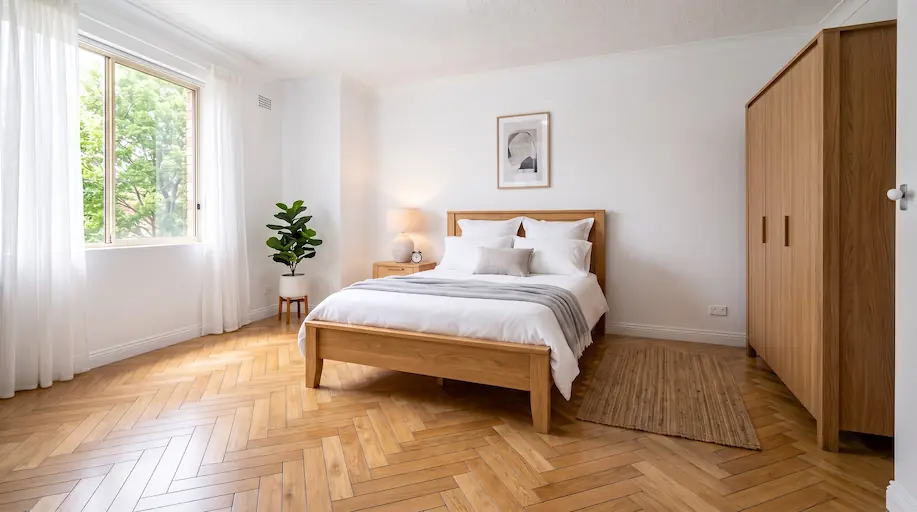
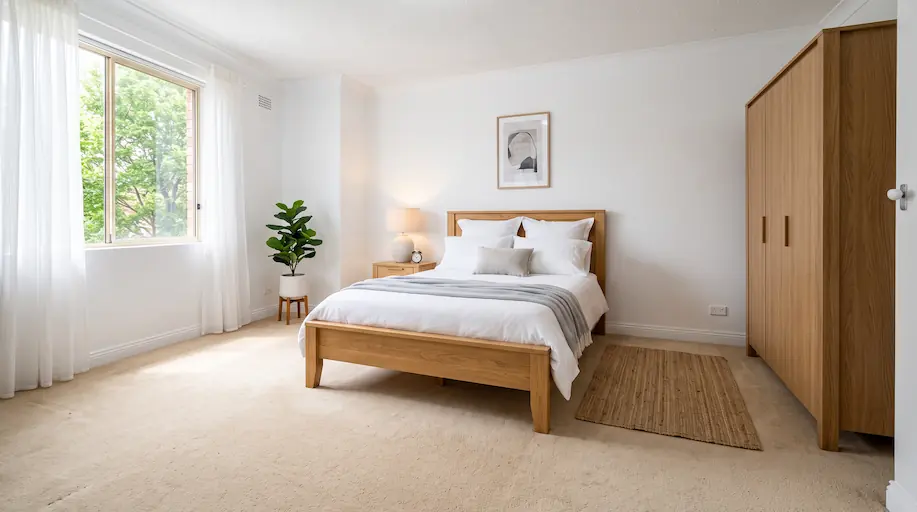
Change the flooring in a photo in one click, without touching the furniture.
A new floor laid onto your photo in seconds.
An interior photo where the floor is clearly visible, furnished or empty.
Oak parquet, herringbone, porcelain tile, terracotta, polished concrete, seagrass… 21 materials in the catalogue.
The new floor is laid in the perspective and the lighting of your photo.
The impact on your real estate business
Enough to test a full renovation without ordering a single sample.
Show the result of a floor renovation before committing a single euro.
The room, its furniture and its shadows stay identical: only the covering changes.
Everything you need to create professional visual content
Five families in the catalogue: wood and parquet, tile, stone and marble, concrete, soft coverings.
Sofas, beds, rugs and objects stay exactly in place: only the floor beneath them changes.
Planks, grout lines and patterns follow the vanishing lines of the photo, with no pasted-texture look.
Plank and tile sizes stay plausible relative to the furniture and the room.
Reflections, cast shadows and light gradients on the floor follow the photo's original lighting.
Skirting boards, door thresholds and transition strips stay in place and keep their material.
Show the potential of a property to renovate before you even have a fitter's quote.
Download your visuals in high resolution, ready for portals and print material.
Discover how to use this tool in your daily work

Show what a 1990s bedroom becomes with light oak parquet.

Swap brown or orange tiles for contemporary porcelain.

Help buyers see the potential rather than the current state, with no work done first.

Present two or three covering options to a client, on their own room.

Give every room the same covering for a consistent gallery.
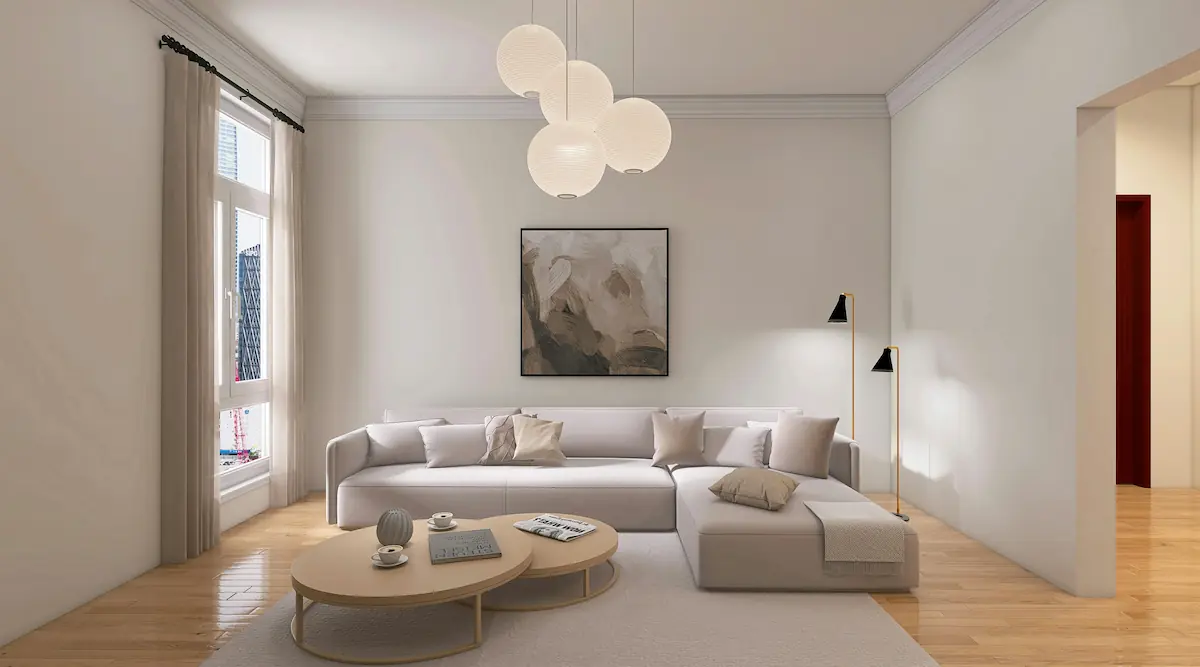
Redo the floor first, then furnish: the virtual furniture will sit on the right base.
Test a floor covering without laying a single square metre
| Inoveo3D AI | |
|---|---|
| Speed | A few seconds |
| Cost | 1 token |
| Faithful to the real room | Original photo kept |
| Number of attempts | |
| Professional finish |
Send us your photos, our team produces every visual for the property and delivers a publish-ready set. Photos within 24 business hours, from €79 incl. VAT per property.
More about AI floor replacement
Start for free and enhance your listings with more impactful visuals.
A complete suite of artificial intelligence to enhance your listings from every angle.
Instantly empty cluttered rooms to reveal their full potential volume.
Virtually repaint your walls to test new color schemes and vibes.
Guarantee a perfect blue sky on all your exterior photos, regardless of the weather.
Bring your drawings and 2D plans to life by transforming them into realistic renders.
Enhance your gardens and terraces with varied and modern landscaping styles.
Clean up imperfections and smooth out walls for a flawless finish.
Fix exposure, colours and sharpness in one click.
Furnish and decorate empty rooms with trendy AI styles to boost your listing appeal.
We use cookies
We use functional cookies (necessary for the site to work) and analytics cookies (Vercel Analytics) to improve our service. Analytics cookies are anonymous and do not require your consent per CNIL guidelines, but you can still refuse them. Learn more